Interactive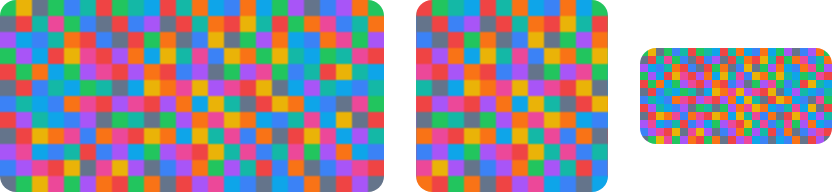
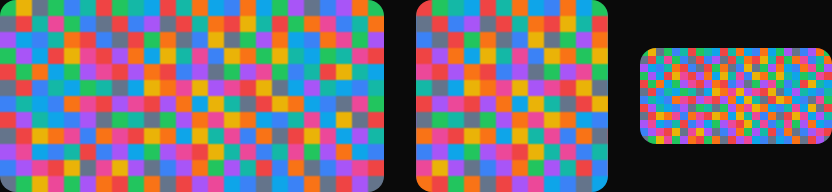
<StackPanel Orientation="Horizontal" Spacing="16" HorizontalAlignment="Left">
  <Image Classes="rounded-lg" Width="192" Height="96"
         Source="avares://AvaloniaUIKit.Demos/Assets/wide-192x96.png" />
  <Image Classes="rounded-lg" Width="96" Height="96" Stretch="UniformToFill"
         Source="avares://AvaloniaUIKit.Demos/Assets/wide-192x96.png" />
  <Image Classes="rounded-lg" Width="96" Height="96" Stretch="Uniform"
         Source="avares://AvaloniaUIKit.Demos/Assets/wide-192x96.png" />
</StackPanel>Usage
Image is not themed by default: GPUI Kit has no Image component, an image keeps its colors, and Avalonia's Stretch="Uniform" is GPUI's default object fit. Three classes clip the drawn image to a radius: rounded (the theme radius, 6), rounded-lg (8) and rounded-full (a pill; the radius is clamped to half the shorter side). GPUI's object fits map to Stretch:
Examples
The five fits in a 96px frame: a wide image for the first three, a small one for DownOnly and None.
Interactive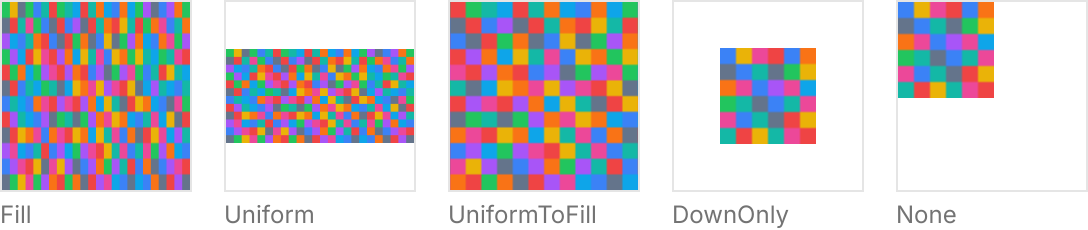
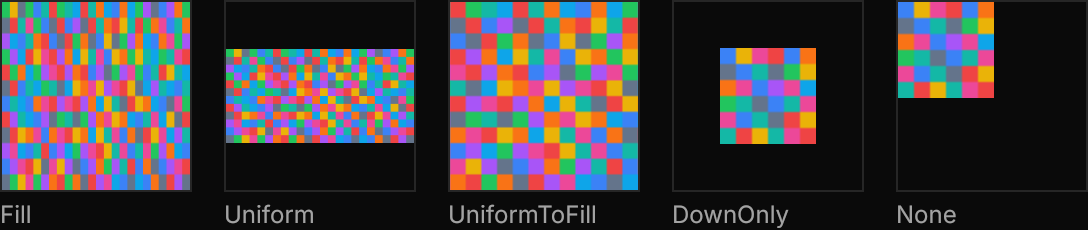
<WrapPanel ItemSpacing="16" LineSpacing="16">
  <StackPanel Spacing="4">
    <Border Width="96" Height="96" BorderThickness="1" BorderBrush="{DynamicResource Gpui.Border}">
      <Image Stretch="Fill" Source="avares://AvaloniaUIKit.Demos/Assets/wide-192x96.png" />
    </Border>
    <TextBlock Text="Fill" FontSize="12" Foreground="{DynamicResource Gpui.MutedForeground}" />
  </StackPanel>
  <StackPanel Spacing="4">
    <Border Width="96" Height="96" BorderThickness="1" BorderBrush="{DynamicResource Gpui.Border}">
      <Image Stretch="Uniform" Source="avares://AvaloniaUIKit.Demos/Assets/wide-192x96.png" />
    </Border>
    <TextBlock Text="Uniform" FontSize="12" Foreground="{DynamicResource Gpui.MutedForeground}" />
  </StackPanel>
  <StackPanel Spacing="4">
    <Border Width="96" Height="96" BorderThickness="1" BorderBrush="{DynamicResource Gpui.Border}">
      <Image Stretch="UniformToFill" Source="avares://AvaloniaUIKit.Demos/Assets/wide-192x96.png" />
    </Border>
    <TextBlock Text="UniformToFill" FontSize="12" Foreground="{DynamicResource Gpui.MutedForeground}" />
  </StackPanel>
  <StackPanel Spacing="4">
    <Border Width="96" Height="96" BorderThickness="1" BorderBrush="{DynamicResource Gpui.Border}">
      <Image Stretch="Uniform" StretchDirection="DownOnly" Source="avares://AvaloniaUIKit.Demos/Assets/small-48x48.png" />
    </Border>
    <TextBlock Text="DownOnly" FontSize="12" Foreground="{DynamicResource Gpui.MutedForeground}" />
  </StackPanel>
  <StackPanel Spacing="4">
    <Border Width="96" Height="96" BorderThickness="1" BorderBrush="{DynamicResource Gpui.Border}">
      <Image Stretch="None" HorizontalAlignment="Left" VerticalAlignment="Top"
             Source="avares://AvaloniaUIKit.Demos/Assets/small-48x48.png" />
    </Border>
    <TextBlock Text="None" FontSize="12" Foreground="{DynamicResource Gpui.MutedForeground}" />
  </StackPanel>
</WrapPanel>rounded, rounded-lg and rounded-full on a square image, and rounded-full on a wide one.
Interactive

<StackPanel Orientation="Horizontal" Spacing="16" HorizontalAlignment="Left">
  <Image Classes="rounded" Width="96" Height="96" Stretch="UniformToFill"
         Source="avares://AvaloniaUIKit.Demos/Assets/wide-192x96.png" />
  <Image Classes="rounded-lg" Width="96" Height="96" Stretch="UniformToFill"
         Source="avares://AvaloniaUIKit.Demos/Assets/wide-192x96.png" />
  <Image Classes="rounded-full" Width="96" Height="96" Stretch="UniformToFill"
         Source="avares://AvaloniaUIKit.Demos/Assets/wide-192x96.png" />
  <Image Classes="rounded-full" Width="192" Height="96"
         Source="avares://AvaloniaUIKit.Demos/Assets/wide-192x96.png" />
</StackPanel>Not covered
- Fetching from a URL.
- A fallback image when loading fails.
- Images taller than the frame, which GPUI does not fit.